hugobook의 스타일 변경
웬만한 기능은 다 리드미에 있고, 폰트나 스타일 변경도 다 리드미에 적혀있는것같다.
폰트 변경
예시
아래는 폰트의 설정을 지정한다. @font-face로 폰트를 ‘Noto Sans’ 라는 이름으로 로드하고,
body에서 위에서 로드한 ‘Noto Sans’를 사용하는데 없다면 sans-serif 폰트를 기본값으로 지정한다는 뜻이다.
보통 하나의 폰트에는 여러 스타일과 두께가 포함되어 있어서 하나의 폰트로 여러 스타일에 사용해도 된다.
@font-face {
  font-family: 'Noto Sans';
  src: url('noto-sans.woff2') format('woff2');
}

body {
  font-family: 'Noto Sans', sans-serif;
}
hugobook에서의 폰트 변경
themes/hugo-book/assets/_fonts.scss 파일을 assets/_fonts.scss에 복사 후 커스텀 폰트로 변경하면 된다.
파일은 static/fonts/[폰트파일] 위치에 다운받는다.
font-display를 swap으로 설정하면 폰트가 다운로드 되면 폰트를 교체하는 방식이다.
font-family: 폰트 패밀리명
font-style: 폰트 스타일 (일반/기울임/굵게 등)
font-weight: 폰트 두께
font-display: 폰트 로드 방식 (display/block/swap/fallback/optional)
src: 폰트 파일 경로
format: woff => woff, ttf => truetype, otf =>opentype
/* roboto-regular - latin */
@font-face {
  font-family: 'Roboto';
  font-style: normal;
  font-weight: 400;
  font-display: swap;
  src: local(''),
       url('fonts/roboto-v27-latin-regular.woff2') format('woff2'), /* Chrome 26+, Opera 23+, Firefox 39+ */
       url('fonts/roboto-v27-latin-regular.woff') format('woff'); /* Chrome 6+, Firefox 3.6+, IE 9+, Safari 5.1+ */
}

/* roboto-700 - latin */
@font-face {
  font-family: 'Roboto';
  font-style: normal;
  font-weight: 700;
  font-display: swap;
  src: local(''),
       url('fonts/roboto-v27-latin-700.woff2') format('woff2'), /* Chrome 26+, Opera 23+, Firefox 39+ */
       url('fonts/roboto-v27-latin-700.woff') format('woff'); /* Chrome 6+, Firefox 3.6+, IE 9+, Safari 5.1+ */
}

/* roboto-mono-regular - latin */
@font-face {
  font-family: 'Roboto Mono';
  font-style: normal;
  font-weight: 400;
  font-display: swap;
  src: local(''),
       url('fonts/roboto-mono-v13-latin-regular.woff2') format('woff2'), /* Chrome 26+, Opera 23+, Firefox 39+ */
       url('fonts/roboto-mono-v13-latin-regular.woff') format('woff'); /* Chrome 6+, Firefox 3.6+, IE 9+, Safari 5.1+ */
}

body {
  font-family: 'Roboto', sans-serif;
}

code {
  font-family: 'Roboto Mono', monospace;
}
css 스타일 변경
font 파일과 같은곳에 있는 scss 파일들을 변경
_markdown.scss를 변경하면 마크다운의 태그스타일을 변경할 수 있을것이다.
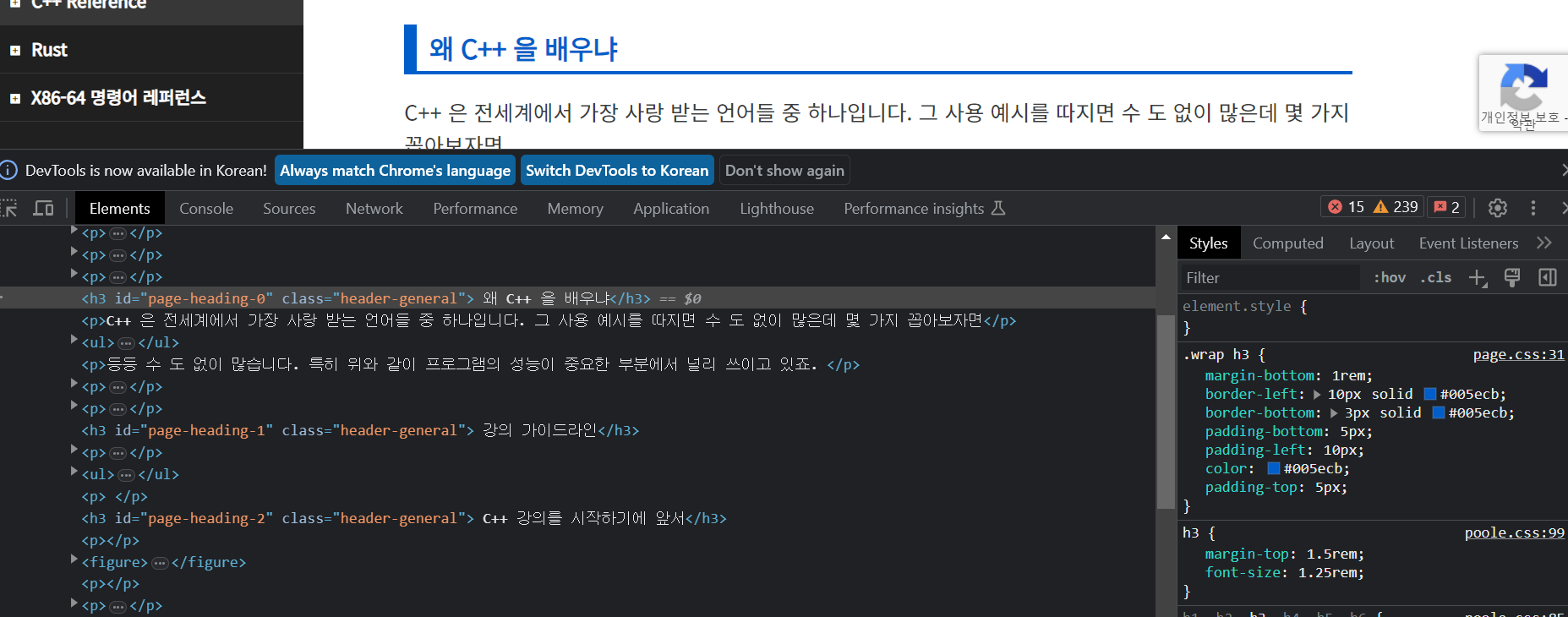
모두코드의 h3의 스타일이 마음에 들어서 비슷하게 구현해보겠다.
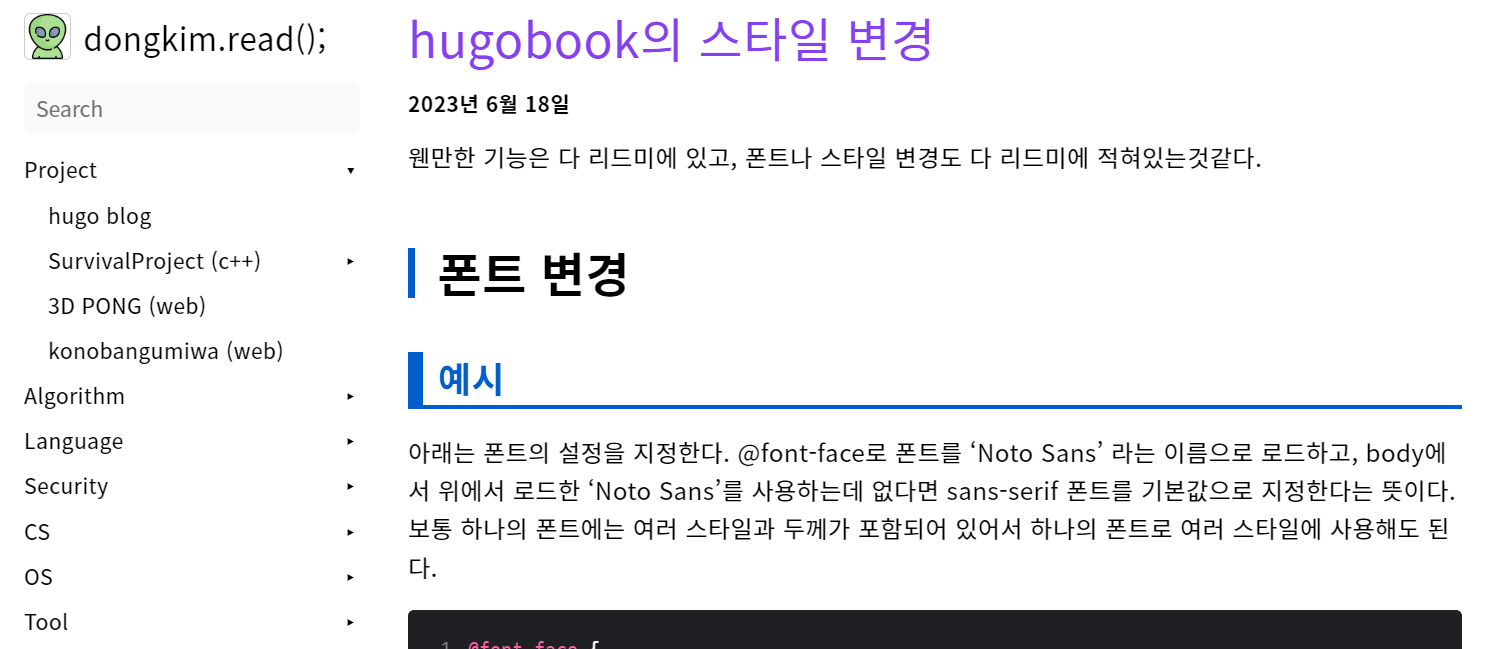
_variables.scss에서 스타일을 override하면 된다. 적용 후 얼추 비슷해진것을 확인할 수 있다.
아래는 assets/_variables.scss의 코드
/* You can override SASS variables here. */

// @import "plugins/dark";

$color-blue: #005ecb;
$color-lightblue: #42A5F5;
$color-gray: #CCCCCC;

.markdown {
  h2 {
    font-size: 2rem; /* 글꼴 크기 키우기 */
    font-weight: bolder !important; /* 텍스트를 두껍게 표시 */
    padding-left: 15px; /* 텍스트 왼쪽 여백 추가 */
    border-left: 5px solid $color-blue; /* 왼쪽 테두리 추가 및 색상 지정 */
  }

  h3 {
    font-size: 1.5rem;
    font-weight: bolder !important;

    border-left: 10px solid $color-blue;
    border-bottom: 3px solid $color-blue;

    padding-bottom: 5px;
    padding-left: 10px;
    padding-top: 5px;
    color: $color-blue;
  }

}

img {
  border: 1px solid $color-gray;
  border-radius: 0.25rem;
}
Comments