[imgui] 10. 통합 Desktop 구현
목표
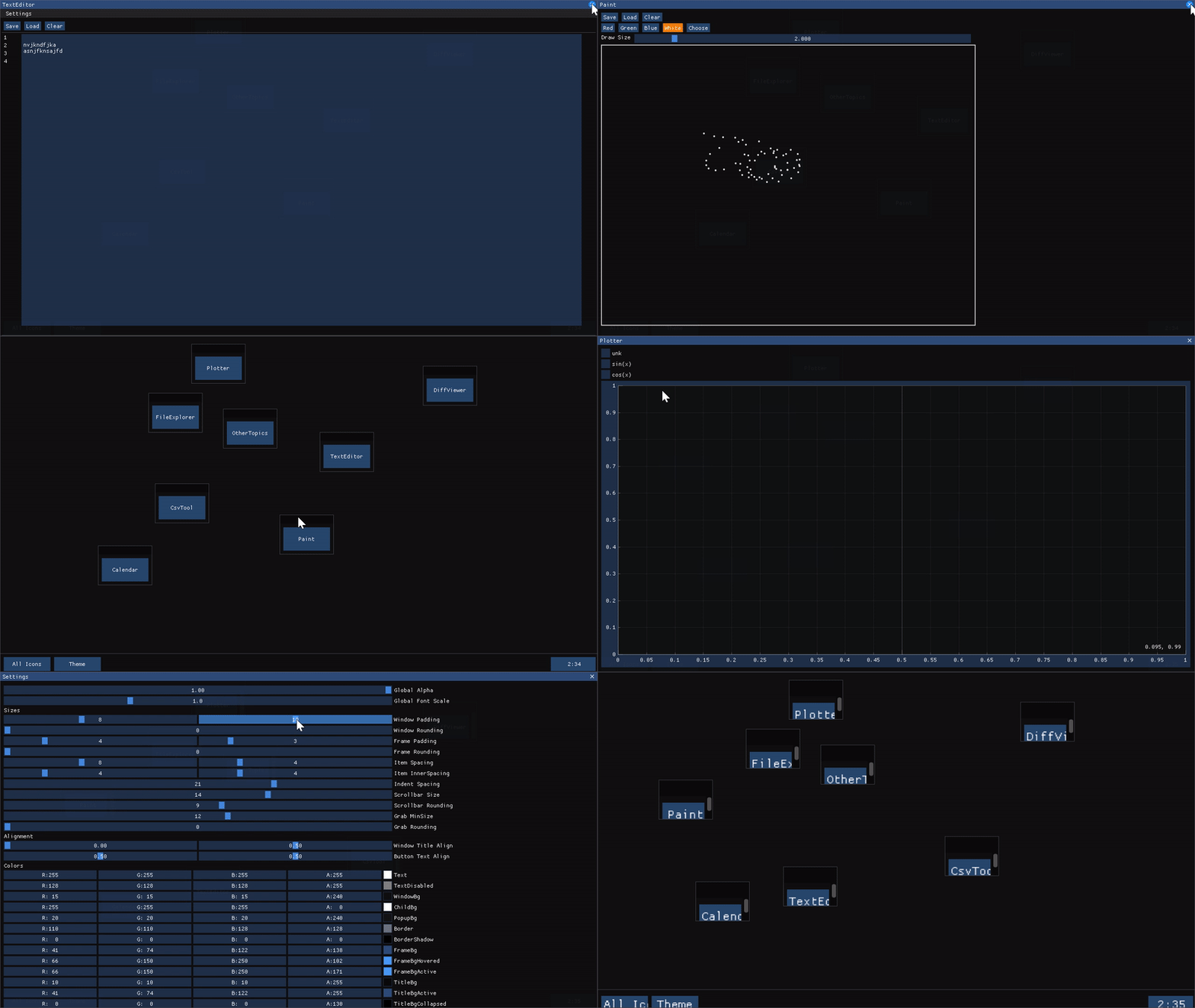
- Desktop에 지금까지 구현했던 프로그램들을 전부 로드
- 사실 추가로 구현한거 없이 그냥 연결만 했다.
파일트리
지금까지 작업했던 파일들을 복사해서 옮겼다. Own이 붙은것만 직접 작업한 파일이다.
output
│  Calendar_Own.cpp
│  Calendar_Own.hpp
│  CsvTool_Own.cpp
│  CsvTool_Own.hpp
│  Desktop_Own.cpp
│  Desktop_Own.hpp
│  DiffViewer_Own.cpp
│  DiffViewer_Own.hpp
│  FileExplorer_Own.cpp
│  FileExplorer_Own.hpp
│  main.cpp
│  OtherTopics.cpp
│  OtherTopics.hpp
│  Paint_Own.cpp
│  Paint_Own.hpp
│  Plotter_Own.cpp
│  Plotter_Own.hpp
│  TextEditor_Own.cpp
│  TextEditor_Own.hpp
│  UiHelpers.cpp
│  UiHelpers.hpp
│  WallClock_Own.cpp
│  WallClock_Own.hpp
│  WindowBase.cpp
└─ WindowBase.hpp
추가작업
- CMakeLists.txt에 소스파일 추가하기 (external 폴더의 파일도)
- CMakeLists.txt에 이미지 로드 기능을 정의
- CMakeLists.txt에 헤더경로 지정
- 아이콘으로 띄울 프로그램들을 WindowBase를 상속받도록 구현
- 각 프로그램 연결
구현코드
WindowBase
모든 어플리케이션의 부모클래스이며, 윈도우의 설정을 담당한다.
class WindowBase
{
public:
    constexpr static auto mainWindowFlags =
        ImGuiWindowFlags_NoResize | ImGuiWindowFlags_NoMove |
        ImGuiWindowFlags_NoCollapse | ImGuiWindowFlags_NoScrollbar;
    constexpr static auto mainWindowSize = ImVec2(1280.0F, 720.0F);
    constexpr static auto mainWindowPos = ImVec2(0.0F, 0.0F);

public:
    WindowBase() : ini(CSimpleIniA()){};
    virtual ~WindowBase(){};

    // 테마를 세팅, 저장, 로드할 수 있는 함수들
    void SettingsMenuBar();
    void LoadTheme();
    void SaveTheme();

    // 순수가상함수로, 상속받은 객체가 자신의 Draw함수를 구현해야함
    virtual void Draw(std::string_view label, bool *open = nullptr) = 0;

protected:
    void DrawColorsSettings(bool *open = nullptr);
    static ImGuiStyle DefaultColorStyle();

    CSimpleIniA ini;
};
Desktop::DrawDesktop
이전과 마찬가지로 그냥 가지고있는 모든 icon을 돌면서 Draw해준다.
void Desktop::DrawDesktop()
{
    for (auto &icon : icons)
        icon.Draw();
}
Desktop::Icon::Draw
아이콘의 Draw는 그냥 버튼을 클릭했을때 base의 Draw를 호출하면서 popupOpen 값을 true로 변경하고 Draw의 open 인자로 전달한다.
void Desktop::Icon::Draw()
{
    constexpr static auto flags =
        ImGuiWindowFlags_NoResize | ImGuiWindowFlags_NoCollapse;

    ImGui::SetNextWindowPos(position, ImGuiCond_FirstUseEver);
    ImGui::Begin(fmt::format("###{}", label).data(), nullptr, flags);
    if (ImGui::Button(label.data(), ImVec2(100.0F, 50.0F)) || popupOpen)
    {
        popupOpen = true;
        base->Draw(label, &popupOpen);
    }
    ImGui::End();
}
TextEditor::Draw
윈도우의 사이즈, 위치는 WindowBase에 있는대로 초기화하고, Flags는 | 연산자로 추가가 가능하다.
기존 구현한 컨텐츠를 그대로 Draw해주면 된다.
void TextEditor::Draw(std::string_view label, bool *open)
{
    ImGui::SetNextWindowSize(mainWindowSize);
    ImGui::SetNextWindowPos(mainWindowPos);

    ImGui::Begin(label.data(), open, mainWindowFlags | ImGuiWindowFlags_MenuBar);

    SettingsMenuBar();

    DrawMenu();
    ImGui::Separator();
    DrawContent();
    ImGui::Separator();
    DrawInfo();

    ImGui::End();
}
ini 파일 Save/Load
설정을 좀더 쉽게 저장할 수 있게 ini 파일을 사용했다.
vpkg로 simpleini 패키지를 추가하고, CMakeLists.txt에서 include_directories에 ${SIMPLEINI_INCLUDE_DIRS} 를 추가해주면 SimpleIni.h를 사용할 수 있다.
실제 테마값이 저장된 test.ini 파일
[theme]
GlobalAlpha = 1.000000
WindowPaddingX = 8.000000
WindowPaddingY = 14.000000
WindowRounding = 0.000000
FramePaddingX = 4.000000
FramePaddingY = 3.000000
...
Save
test.ini 파일의 theme 섹션에 값을 저장하는 방법
    const char ini_filepath[] = "test.ini";
    const char section[] = "theme";

    if (!ImGui::GetCurrentContext())
        return;

    SI_Error rc = ini.LoadFile(ini_filepath);
    if (rc < 0)
        return;

    auto &style = ImGui::GetStyle();

    ini.SetDoubleValue(section, "GlobalAlpha", style.Alpha);
    ini.SetDoubleValue(section, "WindowPaddingX", style.WindowPadding.x);
    ini.SetDoubleValue(section, "WindowPaddingY", style.WindowPadding.y);
Load
    const char ini_filepath[] = "test.ini";
    const char section[] = "theme";

    // 파일이 없는경우 기본값 지정 후 파일 만들고 나가기
    if (!std::filesystem::exists(ini_filepath))
    {
        ImGui::GetStyle() = DefaultColorStyle();

        auto out = std::ofstream{ini_filepath};
        out.close();

        return;
    }

    ini.LoadFile(ini_filepath);
    auto &style = ImGui::GetStyle();
    style.WindowPadding.x = (float)ini.GetDoubleValue(section,
                                                      "WindowPaddingX",
                                                      style.WindowPadding.x);
이미지 로드
Desktop::DrawBackground
Desktop에 있는 백그라운드 그리기 함수이다.
커서의 포지션을 0, 0 으로 이동 후 이미지 경로를 전달해서 그린다.
void Desktop::DrawBackground()
{
    ImGui::SetCursorPos(ImVec2(0.0F, 0.0F));
    const auto image_filepath =
        fmt::format("{}{}", PROJECT_PATH, "/images/bg.png");
    LoadAndDisplayImage(image_filepath);
    ImGui::SetCursorPos(ImVec2(0.0F, 0.0F));
}
UiHelpers.cpp
백엔드에 의존하는 코드이기 때문에 구글링으로 내 백엔드에 맞는 코드를 찾아야한다.
loadTexture
백엔드 코드를 이용해서 텍스쳐를 로드한다. 아래는 OpenGL에서 사용하는 방법이다.
std::tuple<GLuint, std::uint32_t, std::uint32_t> loadTexture(
    const char *filename)
{
    std::vector<unsigned char> data;
    std::uint32_t width = 0U;
    std::uint32_t height = 0U;

    const auto error = lodepng::decode(data, width, height, filename);

    if (error)
        throw "Error loading image";

    GLuint texture = 0U;
    glGenTextures(1, &texture);
    glBindTexture(GL_TEXTURE_2D, texture);
    glTexParameteri(GL_TEXTURE_2D, GL_TEXTURE_WRAP_S, GL_CLAMP);
    glTexParameteri(GL_TEXTURE_2D, GL_TEXTURE_WRAP_T, GL_CLAMP);
    glTexParameteri(GL_TEXTURE_2D, GL_TEXTURE_MIN_FILTER, GL_LINEAR);
    glTexParameteri(GL_TEXTURE_2D, GL_TEXTURE_MAG_FILTER, GL_LINEAR);

    glTexImage2D(GL_TEXTURE_2D,
                 0,
                 GL_RGBA,
                 width,
                 height,
                 0,
                 GL_RGBA,
                 GL_UNSIGNED_BYTE,
                 &data[0]);

    return std::make_tuple(texture, width, height);
}
LoadAndDisplayImage
이미지를 로드한 후 ImGui에 전달해서 실제로 이미지를 그려주는 작업을 한다.
void LoadAndDisplayImage(std::string_view image_filepath)
{
    try
    {
        const auto &[myImageTexture, imageWidth, imageHeight] =
            loadTexture(image_filepath.data());

        const auto imageSize = ImVec2(static_cast<float>(imageWidth),
                                      static_cast<float>(imageHeight));
        ImGui::Image(reinterpret_cast<ImTextureID>(myImageTexture), imageSize);
    }
    catch (const std::exception &e)
    {
        std::cerr << e.what() << '\n';
        exit(1);
    }
}
ETC
TreeNode
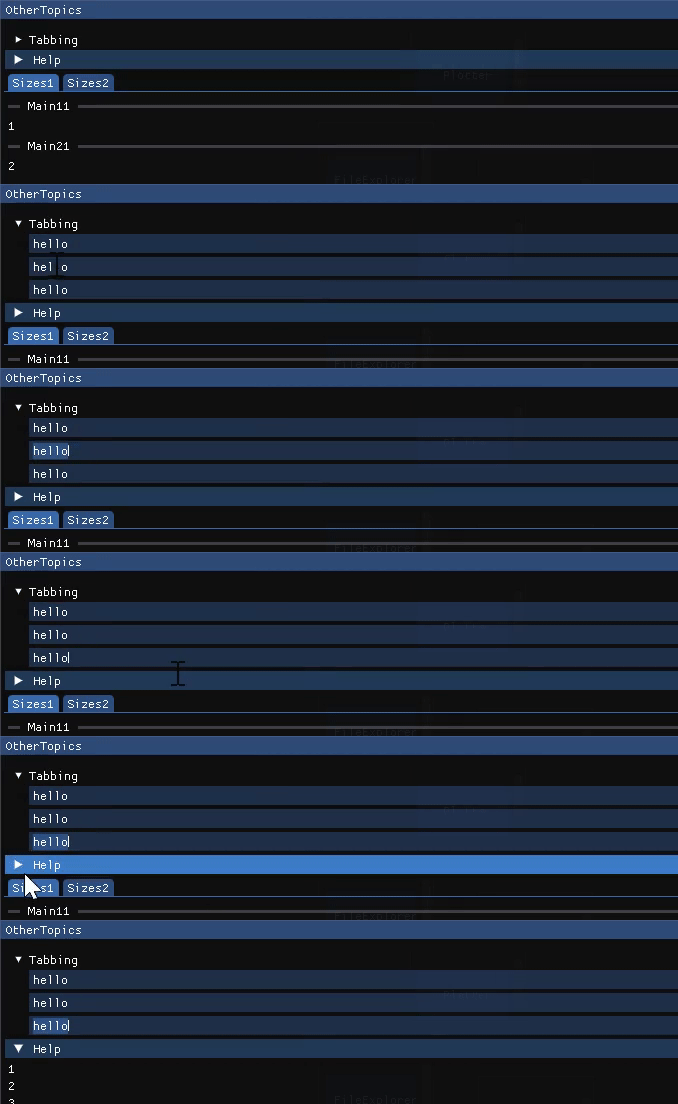
collapse가 가능하고, 활성화되면 내부의 요소들을 Tab으로 포커싱 전환을 할 수 있다.
CollapsingHeader
collapse가 가능하고, 헤더가 강조된 형식 (영상의 Help 콜랩스)
BeginTabBar
탭바의 시작함수 BeginTabItem 과 EndTabItem 사이에서 요소를 추가한다.
SeparatorText
구분선 중간에 텍스트가 있는 형태
BeginMenuBar
드롭다운 메뉴바 형태
my_imgui_config.h
CMakeLists.txt에 추가된 코드가 있다.
IMGUI_USER_CONFIG 값을 my_imgui_config.h 파일로 절대경로를 지정했는데,
런타임 옵션을 변경할 수 있는 파일이다.
99% 상황에서는 필요없다고 한다.
add_compile_definitions(
    IMGUI_USER_CONFIG="${CMAKE_SOURCE_DIR}/external/my_imgui_config.h"
)
Comments